How to connect Obsidian to Mistral Vibe (Le Chat)
Mistral Vibe, formerly Le Chat, can search, read and edit your Obsidian notes once you add Shard Connector as a custom connector at chat.mistral.ai. Shard Connector reads your vault through Obsidian Sync from the cloud, so Obsidian doesn’t need to be open.
Updated
Before you start
You need an Obsidian vault you sync with Obsidian Sync, and a Shard Connector space with that vault connected. Sign in with Google to set it up: it’s $2.99 a month after a 5-day free trial. For Mistral Vibe:
You need a Mistral account at chat.mistral.ai, on any plan. Only an admin can add a connector. On Free, Pro and Student that’s the account owner; on Team and Enterprise it’s a workspace admin.
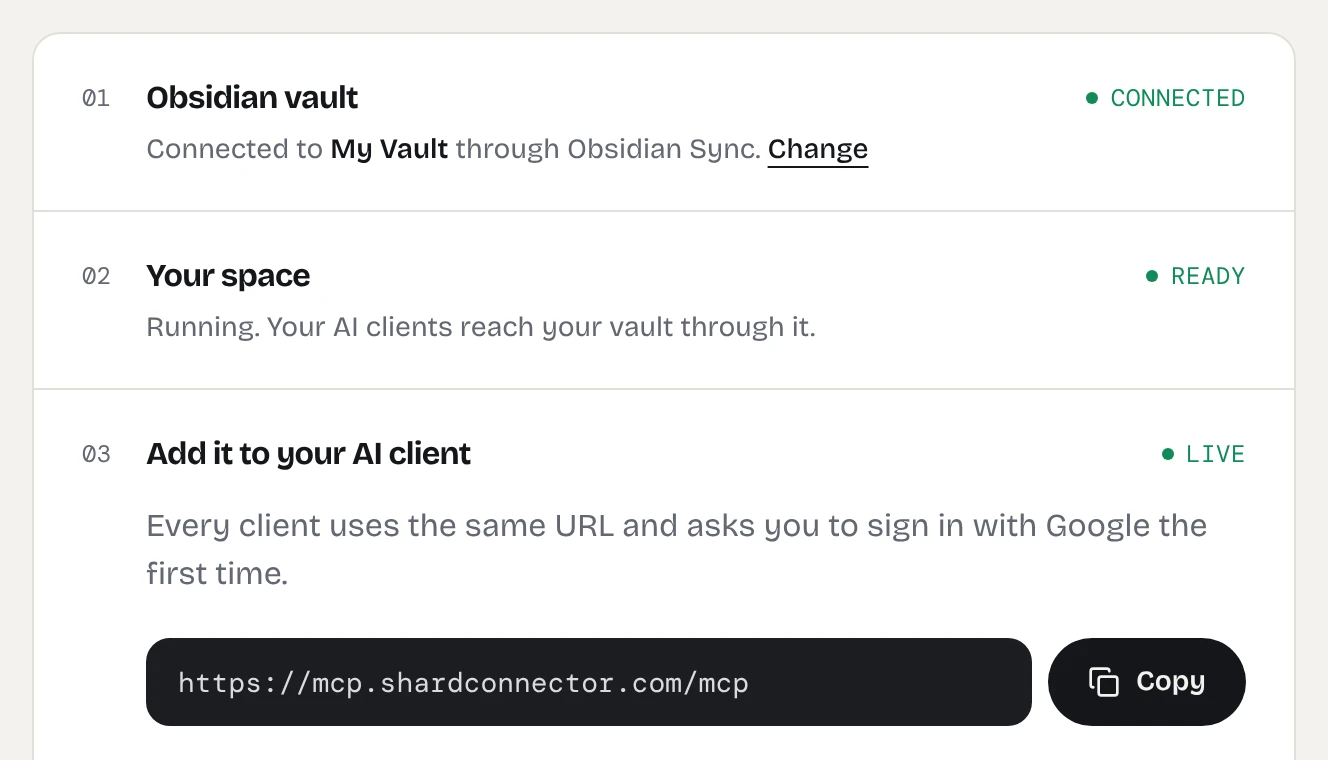
When your dashboard shows the space as ready, copy the server URL. It’s the same for everyone; the Google sign-in decides whose vault Mistral Vibe reaches.
https://mcp.shardconnector.com/mcp
Add Obsidian to Mistral Vibe
-
Open Connectors
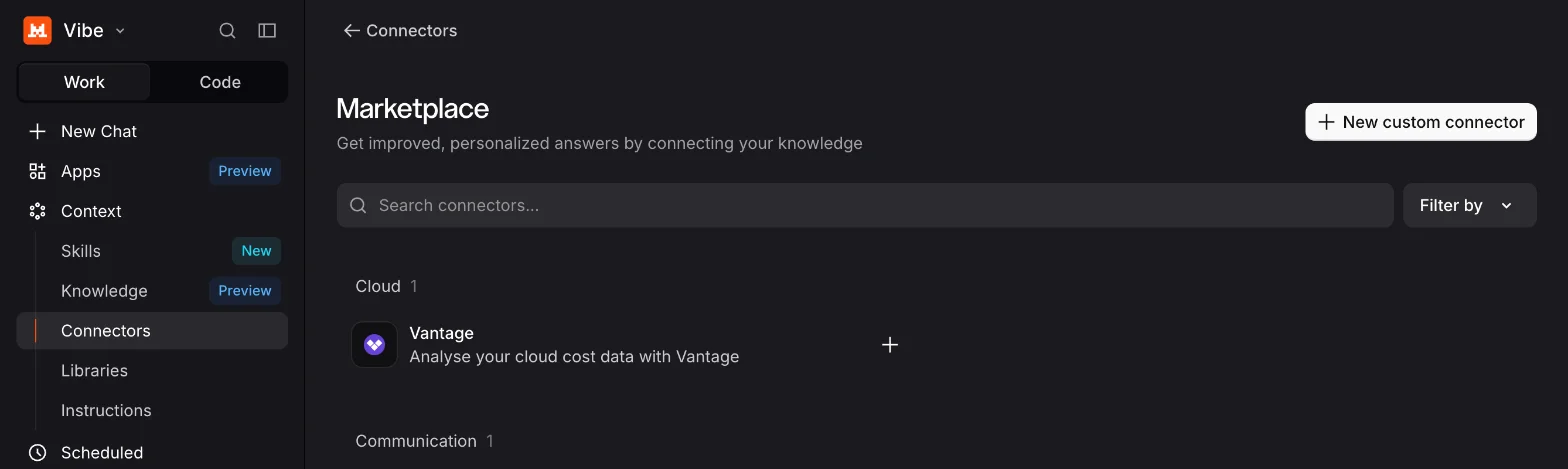
Go to chat.mistral.ai, open Context in the sidebar and choose Connectors. Click + New connector, then + New custom connector.
-
Enter the name and URL
Name it Obsidian and paste
https://mcp.shardconnector.com/mcpunder Server. The description is optional. Mistral detects OAuth2.1 under Authentication on its own. Click Add connector.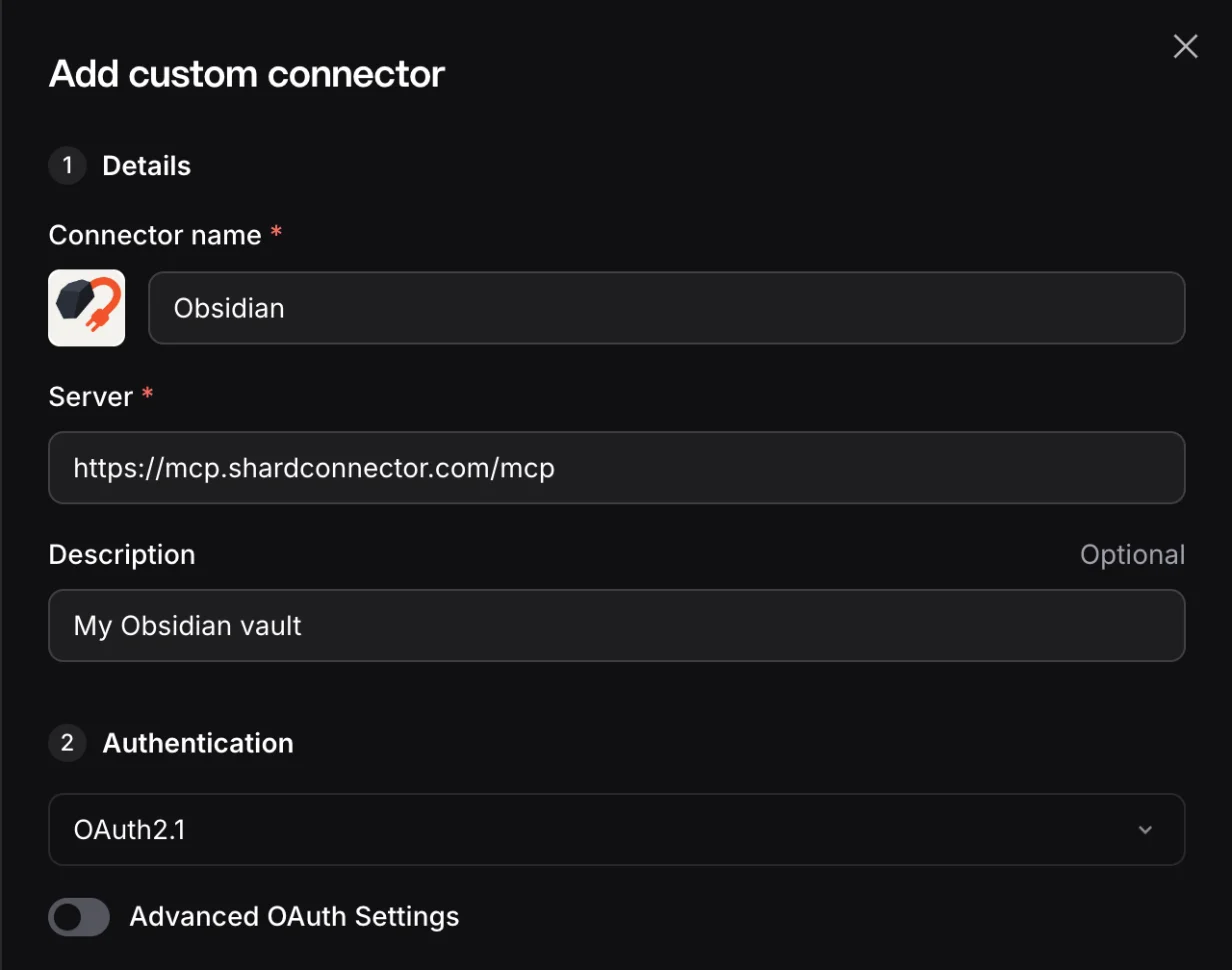
-
Allow access and sign in
Mistral opens a Shard Connector page asking you to allow mistral-mcp-client. Click Allow and, if asked, sign in with the Google account you use on this site. Mistral shows “Connection successful” and opens the connector’s page.
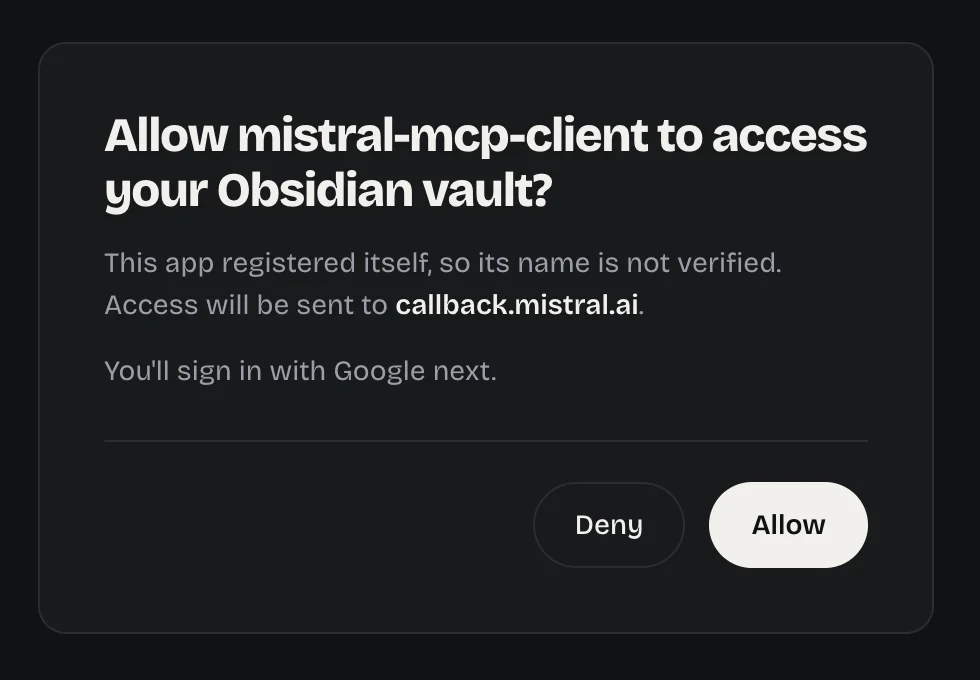
The Shard Connector page Mistral opens when you add the connector. -
Add the connector to a chat
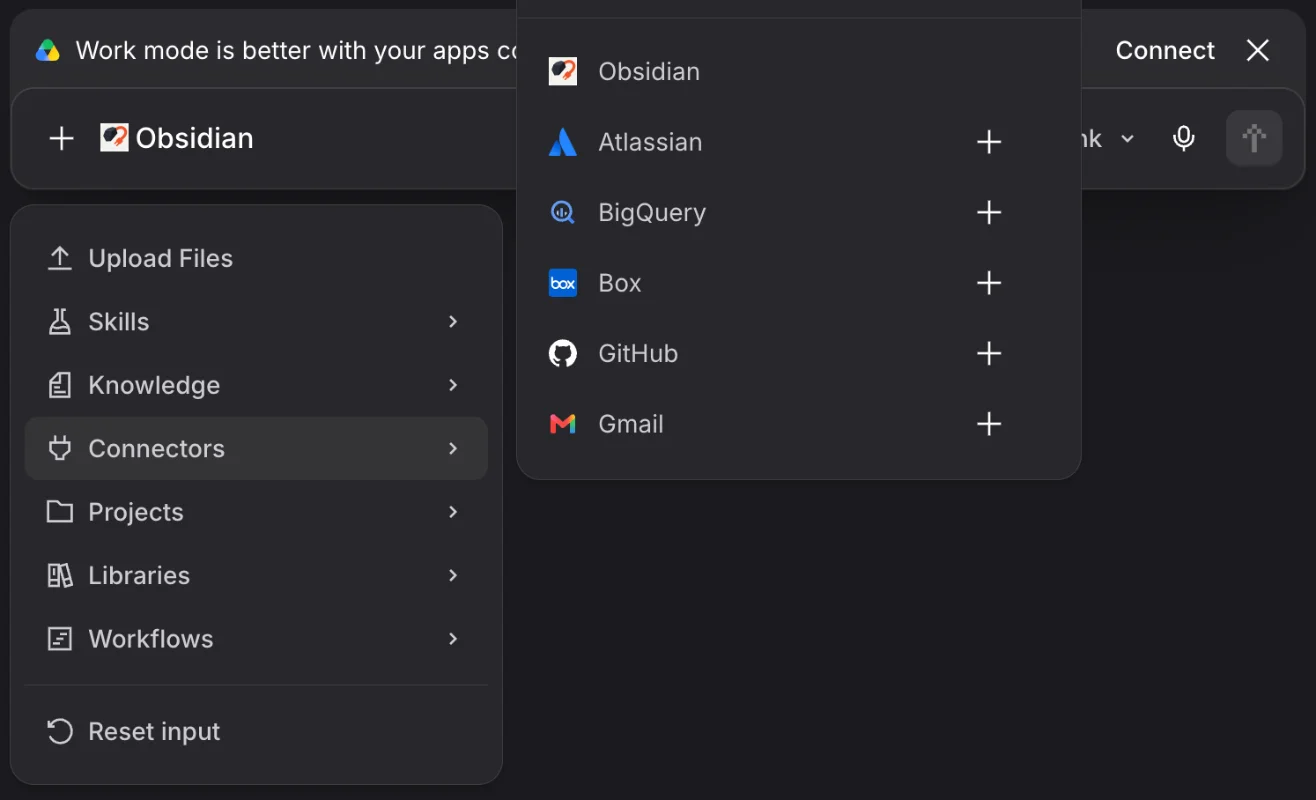
Start a chat, click +, open Connectors and pick Obsidian. It shows up in the message box. Then ask about your notes, for example “Search my Obsidian vault for notes about the garden.”
Approve what it does
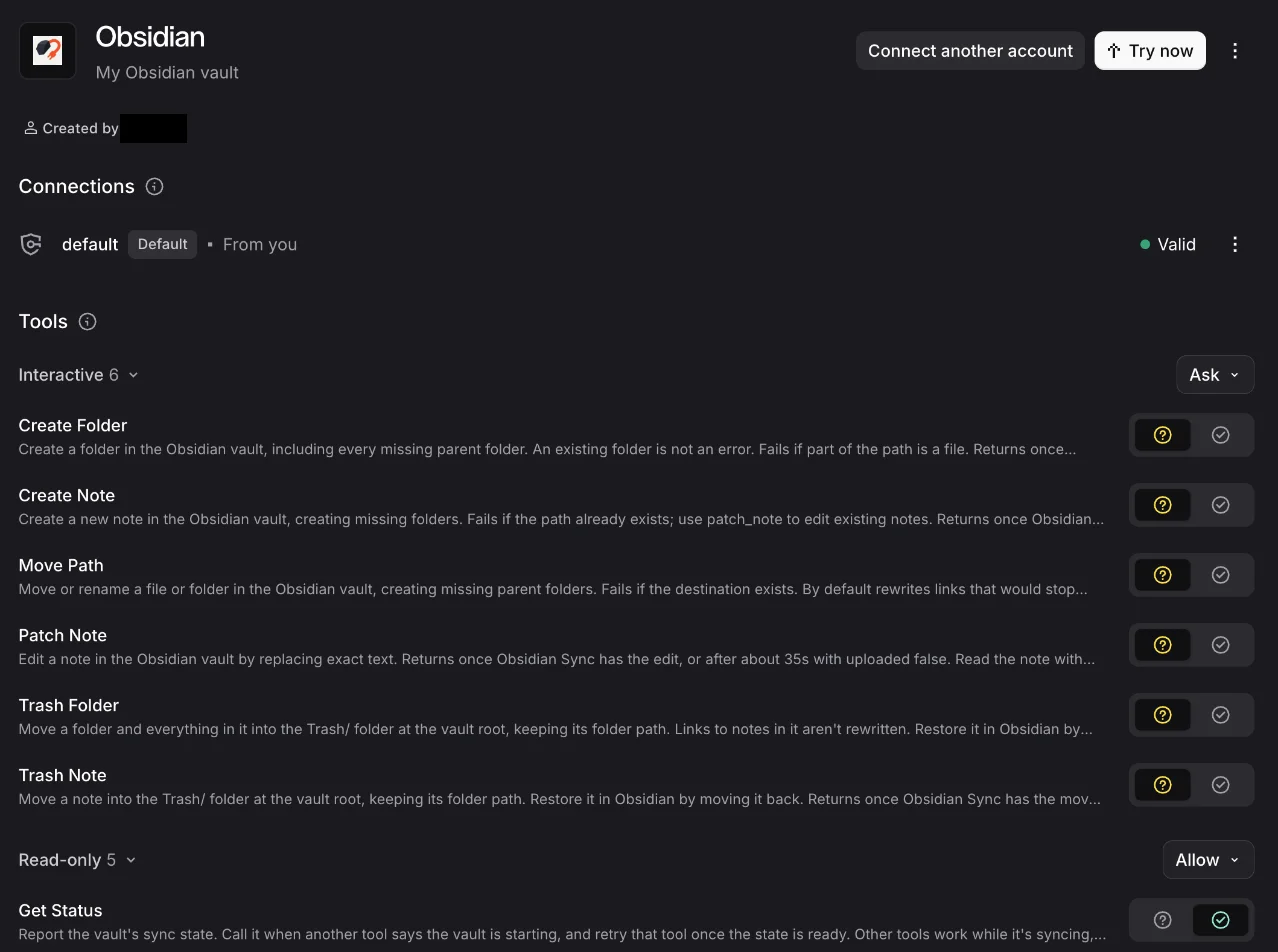
The connector’s page lists its tools in two groups. The five Read-only tools, such as Search Notes and Read Note, are set to Allow, so Mistral runs them without asking. The six Interactive tools that change your vault, such as Patch Note and Trash Note, are set to Ask, so you approve each edit before it happens. Change a group with its dropdown, or a single tool with the buttons next to it. To find the page later, open Context, then Connectors, and click the Obsidian card.
Things to ask
- “Find the notes in my Obsidian vault tagged #recipe that use lentils.”
- “Summarize the notes in my Obsidian Meetings folder, in French.”
- “Move every note in my Inbox that mentions the garden into the Garden folder.”
Troubleshooting
Mistral says “MCP connection requires additional information or is invalid.” Check that the URL is exactly https://mcp.shardconnector.com/mcp, with no trailing slash, then add the connector again.
Vibe answers without using your notes. Add Obsidian under +, Connectors in that chat, and mention your Obsidian vault in the request.
Sign-in says there’s no vault for your account. Check on your dashboard that your vault is connected and your subscription is active. If you signed in with a different Google account, delete the Obsidian card under Context, Connectors, create the connector again and pick the account you use on the dashboard.
What Mistral Vibe can do in your vault
Mistral Vibe works in the one vault you connected. It can search, read, create and edit notes and folders, and move notes to a Trash/ folder, but it can’t delete anything for good, see .obsidian or open images and PDFs. See the full list.
If Mistral Vibe says the vault is syncing, your space is waking up and catching up with Obsidian Sync. Wait a few seconds and ask again.
Questions
Is Vibe the same as Le Chat?
Yes. Mistral renamed Le Chat to Vibe in 2026. The address is still chat.mistral.ai, and your account and plan carried over.
Do I need a paid Mistral plan?
No. Custom connectors are on every Mistral plan, Free included. Shard Connector is a separate subscription.
Why doesn’t Vibe see a new tool?
Mistral’s custom connectors don’t pick up new tools on their own yet. Remove the connector and add it again to refresh its functions.