How to use Obsidian in ChatGPT
ChatGPT can search, read and write the notes in your Obsidian vault once you add Shard Connector as a custom MCP server. Shard Connector runs in the cloud and reads your vault through Obsidian Sync, so Obsidian doesn’t need to be open on any computer.
Updated
Before you start
You need an Obsidian vault you sync with Obsidian Sync, and a Shard Connector space with that vault connected. Sign in with Google to set it up: it’s $2.99 a month after a 3-day free trial. For ChatGPT:
- A ChatGPT Business, Enterprise or Edu workspace, or a Pro plan. On Pro, ChatGPT can read and search your notes but not change them.
- ChatGPT on the web at chatgpt.com.
- In a Business workspace, only admins and owners can add a custom MCP server. In Enterprise and Edu, an admin can give you the Create plugins with MCPs permission.
When your dashboard shows the space as ready, copy the server URL. It’s the same for everyone; the Google sign-in decides whose vault ChatGPT reaches.
https://mcp.shardconnector.com/mcp
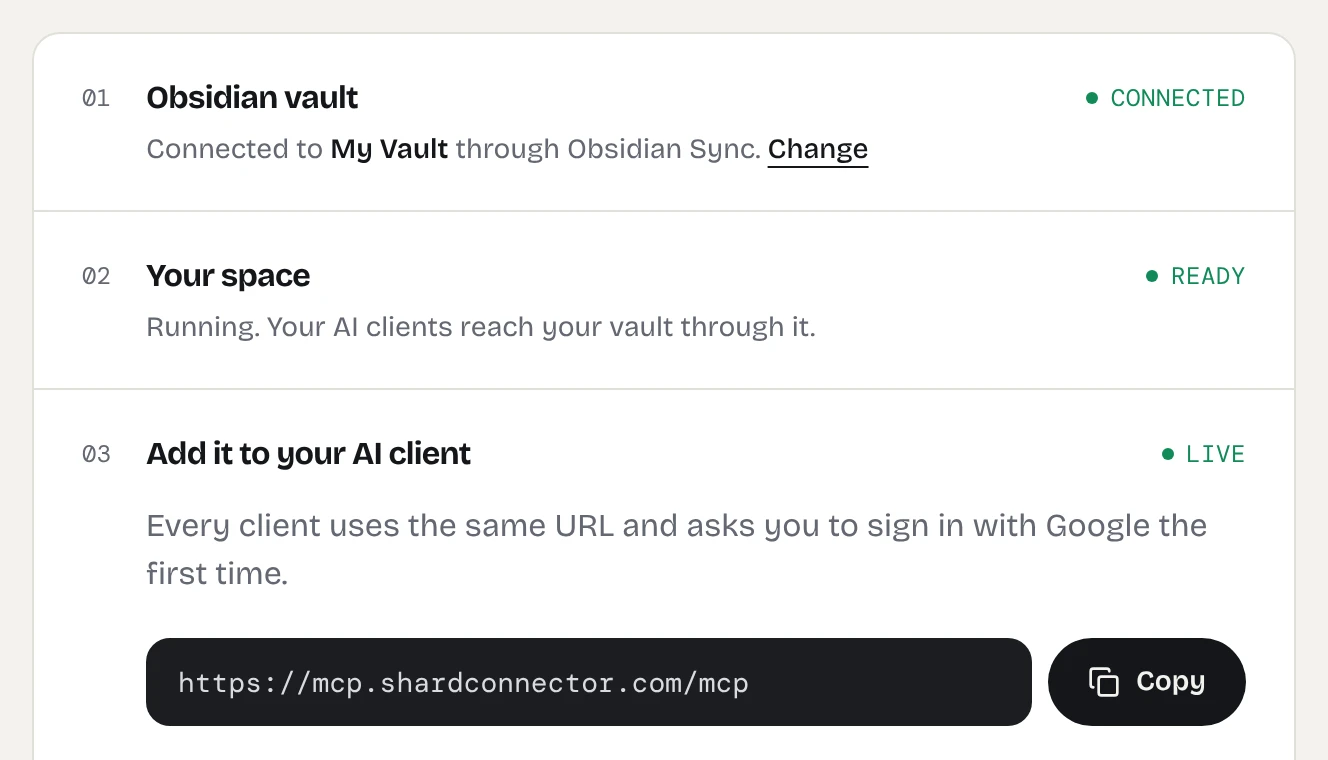
Add Obsidian to ChatGPT
-
Open Plugins in ChatGPT
Go to chatgpt.com/plugins, click the + button and choose Add custom MCP server.
Screenshot needed: chatgpt-add-custom-mcp-server.webp
The Plugins page on chatgpt.com with the + menu open and Add custom MCP server highlighted
-
Fill in the server details
Name it Obsidian. Under Connection, keep Server URL selected and paste
https://mcp.shardconnector.com/mcp. Set Authentication to OAuth. There’s no client ID or secret to enter.Screenshot needed: chatgpt-mcp-server-form.webp
The Add custom MCP server form with Name set to Obsidian, the Shard Connector URL under Server URL and OAuth selected
-
Create the plugin
Tick I understand and want to continue, then click Create as a plugin. ChatGPT lists the tools it found, such as
search_notesandread_note. -
Install it and sign in
Open the Personal tab in Plugins, open Obsidian and click + to install it. ChatGPT opens a Shard Connector page asking you to allow access. Click Allow, then sign in with the Google account you use on this site.
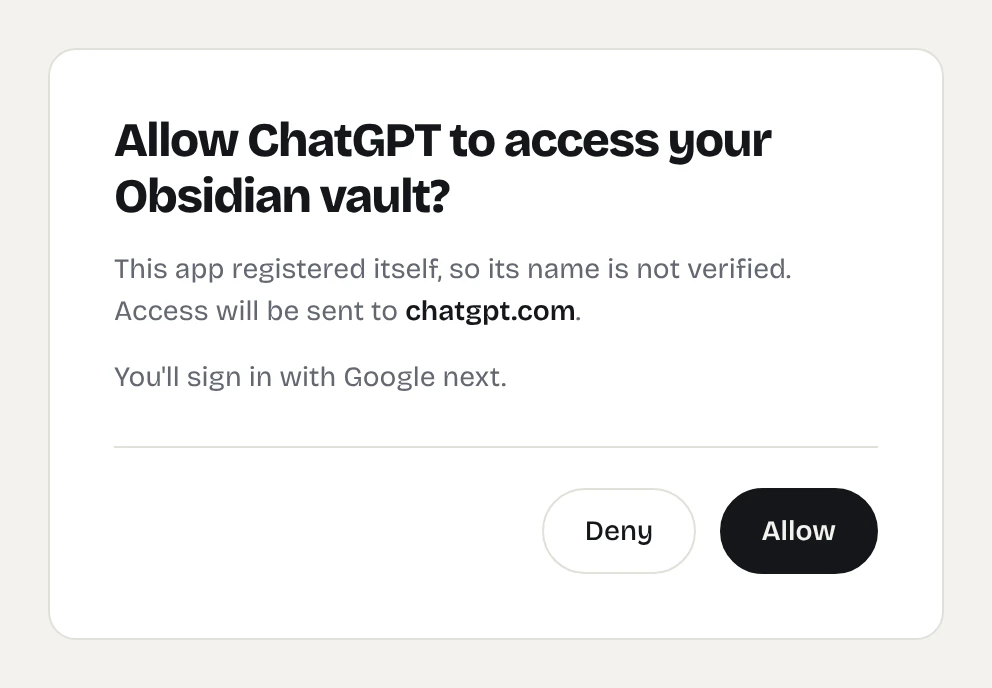
The Shard Connector page ChatGPT opens when you install the plugin. -
Use it in a chat
Switch the tab at the top of ChatGPT from Chat to Work and start a new chat. Type @, pick Obsidian and ask your question. You can also add it from + in the message box.
Screenshot needed: chatgpt-work-chat-obsidian.webp
A ChatGPT Work chat with @Obsidian selected and ChatGPT answering from notes in the vault
Things to ask
Ask these in a Work chat with Obsidian picked. On ChatGPT Pro only the first two work, because Pro connections can’t write.
- “Search my Obsidian vault for notes about my reading list and tell me what’s on it.”
- “Read this week’s daily notes in Obsidian and summarize what I worked on.”
- “Add a task to my Inbox note in Obsidian: call the dentist on Friday.”
Troubleshooting
You don’t see Add custom MCP server. Your plan or workspace doesn’t allow it. Before you start lists who can add one.
ChatGPT answers without looking at your notes. Start the chat from the Work tab and pick Obsidian with @, or say “in my Obsidian vault” in the request.
ChatGPT says the vault is syncing. Your space sleeps while nobody uses it and catches up with Obsidian Sync when it wakes. Wait a few seconds and ask again.
Sign-in says there’s no vault for your account. You signed in with a different Google account than the one on your dashboard, or your vault isn’t connected yet. Remove the plugin, add it again and pick the right account.
What ChatGPT can do in your vault
ChatGPT works in the one vault you connected. It can search, read, create and edit notes and folders, and move notes to a Trash/ folder, but it can’t delete anything for good, see .obsidian or open images and PDFs. See the full list.
Questions
Which ChatGPT plans can use Obsidian?
Business, Enterprise and Edu get full access: ChatGPT can search, read, create and edit notes. Pro can connect too, but only with read and search tools. OpenAI doesn’t offer custom MCP servers on Plus or Free.
Can I use it in the ChatGPT app on my phone?
You add the server on chatgpt.com in a browser. OpenAI doesn’t support connecting custom MCP servers from the mobile apps.
Do I need Developer Mode?
No. Custom MCP servers are added from the Plugins page, without turning on Developer Mode.
Does Obsidian need to be open?
No. Shard Connector reads and writes your vault through Obsidian Sync from the cloud, and the changes show up in Obsidian on every device the next time it syncs.
Can ChatGPT delete my notes?
No. It can move a note to a Trash/ folder in your vault, where you can move it back.