How to connect Obsidian to Gemini
Gemini can search, read and edit your Obsidian notes once you add Shard Connector as a custom app at gemini.google.com. You add it on the web, and it then works in the Gemini mobile app too. Shard Connector reads your vault through Obsidian Sync from the cloud, so Obsidian doesn’t need to be open.
Updated
Before you start
You need an Obsidian vault you sync with Obsidian Sync, and a Shard Connector space with that vault connected. Sign in with Google to set it up: it’s $2.99 a month after a 5-day free trial. For Gemini:
- A Google account signed in to gemini.google.com.
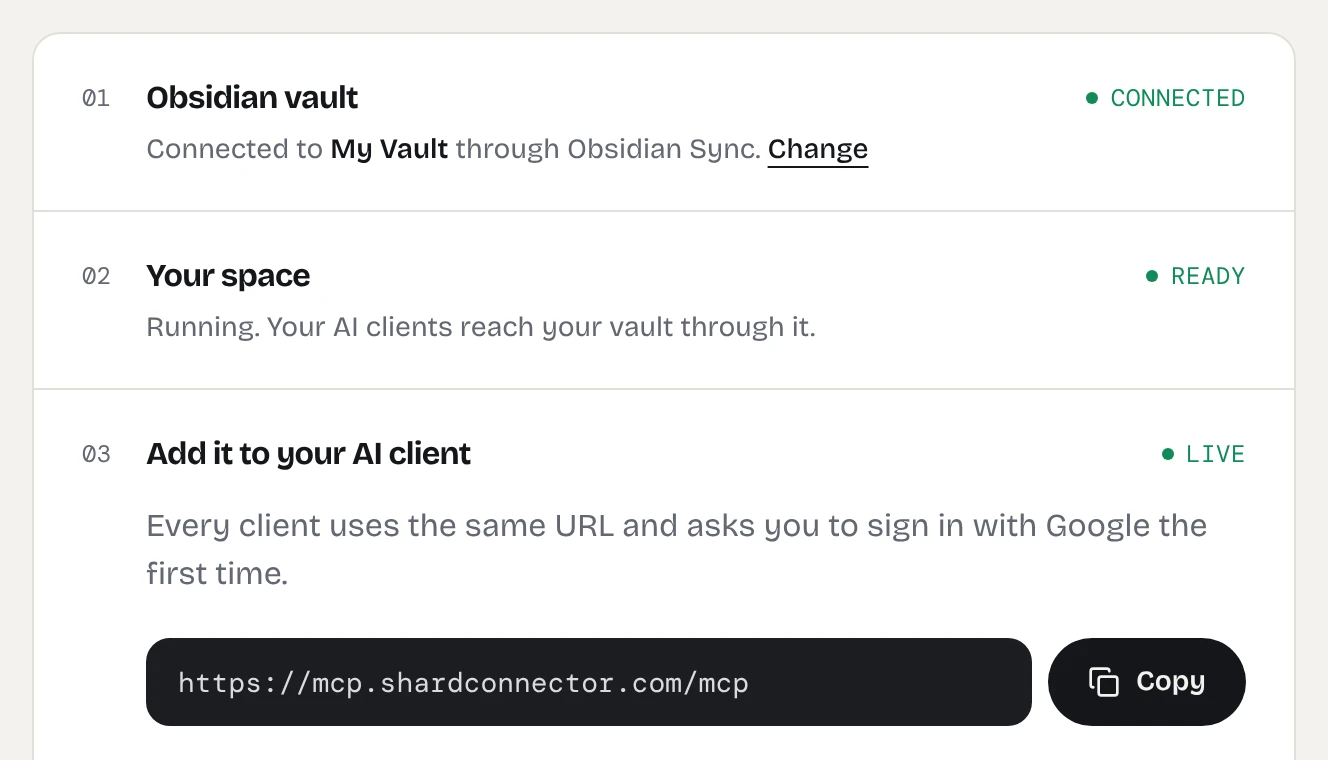
When your dashboard shows the space as ready, copy the server URL. It’s the same for everyone; the Google sign-in decides whose vault Gemini reaches.
https://mcp.shardconnector.com/mcp
Add Obsidian to Gemini
-
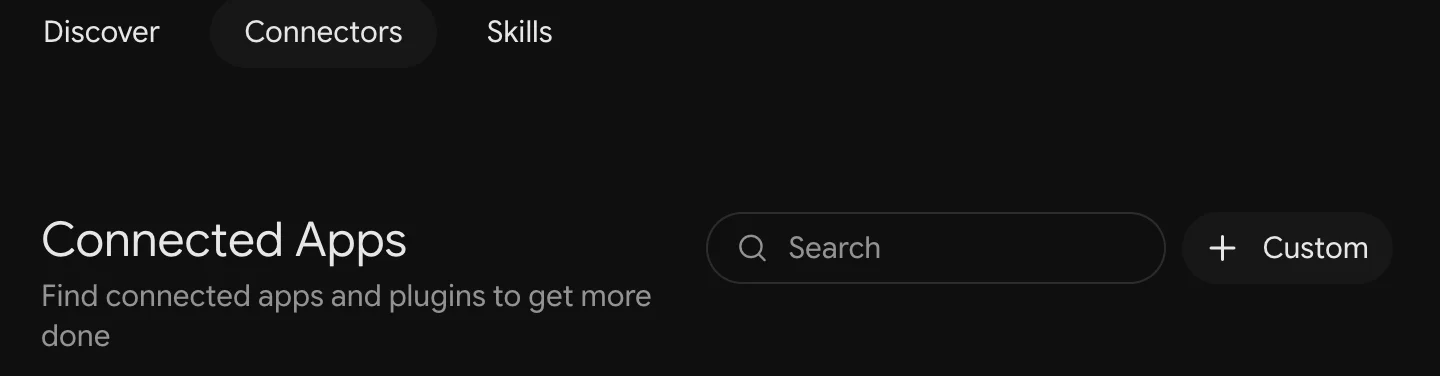
Open Connected Apps
Go to gemini.google.com/customize/connectors and click + Custom.
-
Enter the server URL
Paste
https://mcp.shardconnector.com/mcpunder MCP Server URL and click Next. Leave Additional settings as they are: Shard Connector needs no client ID or secret.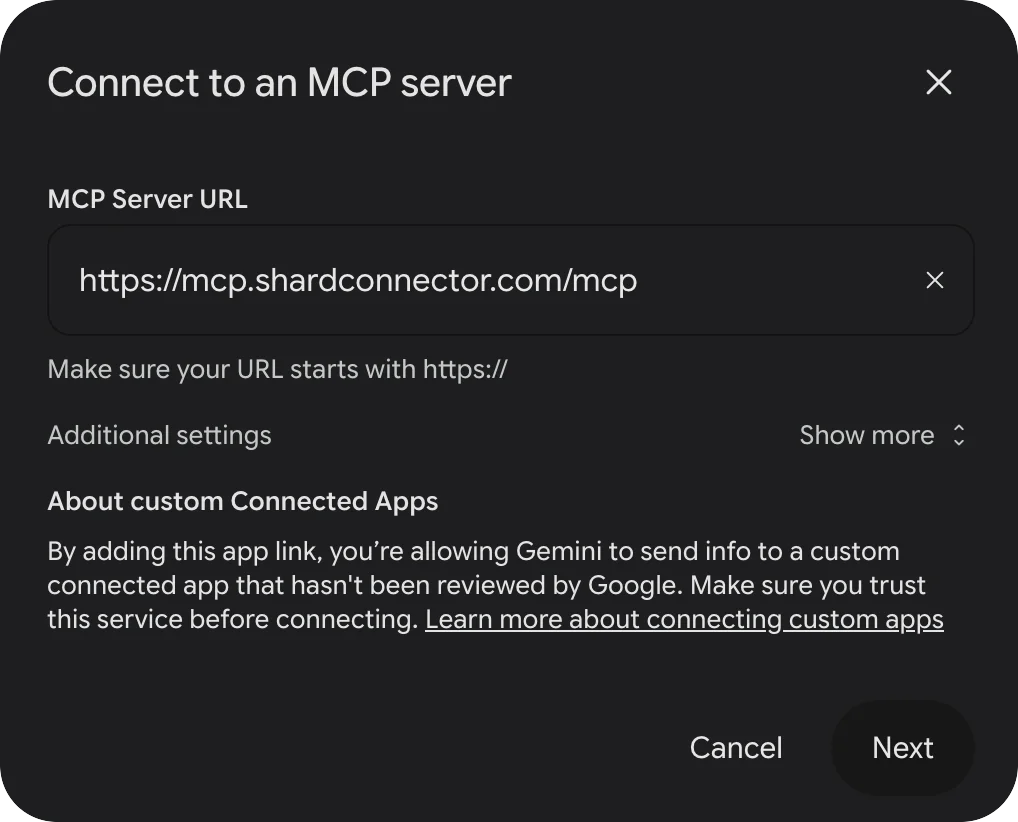
-
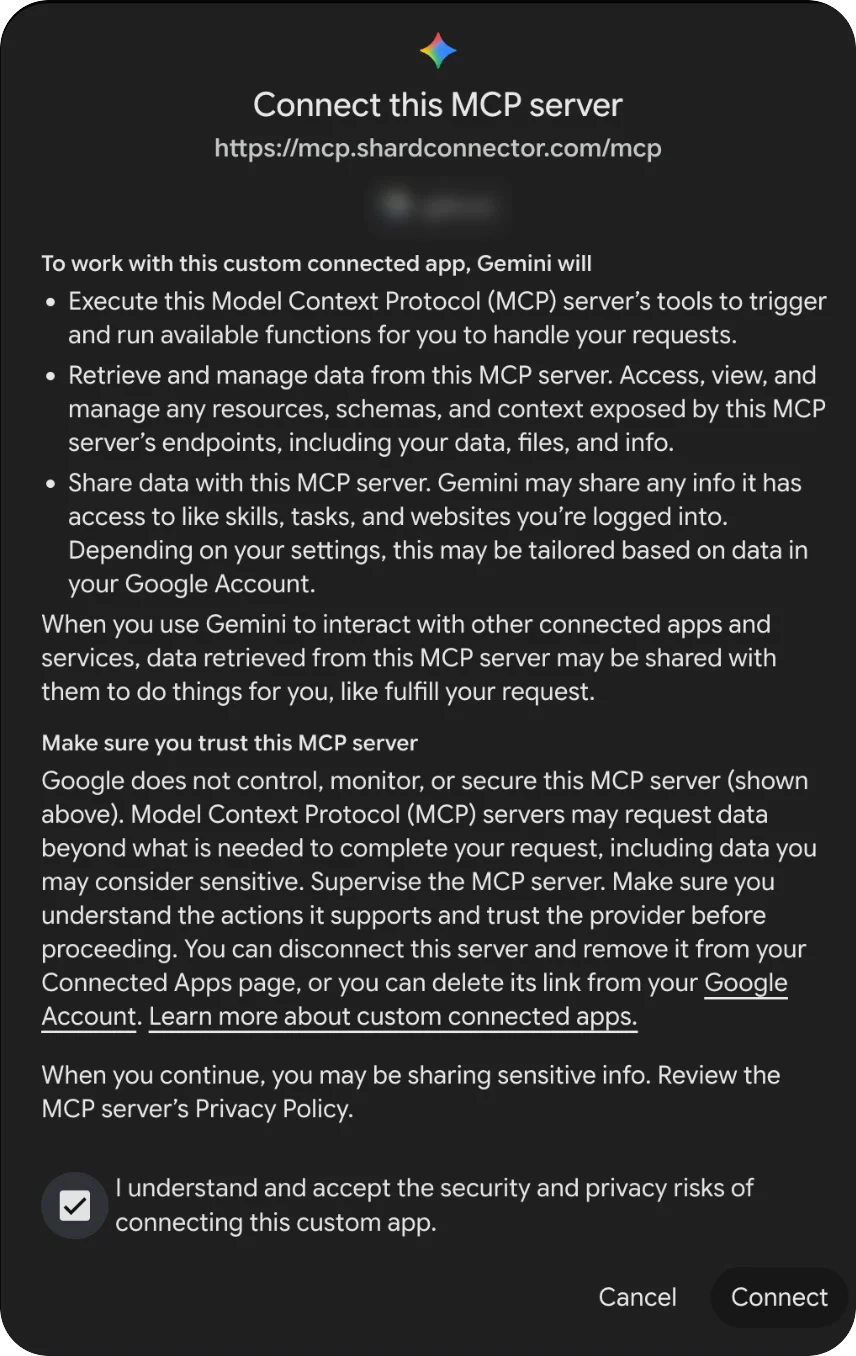
Accept the risks
Gemini lists what the app can do. Tick I understand and accept the security and privacy risks of connecting this custom app and click Connect.
-
Allow access and sign in
A Shard Connector page opens asking you to allow Google. Click Allow and sign in with the Google account you use on this site.
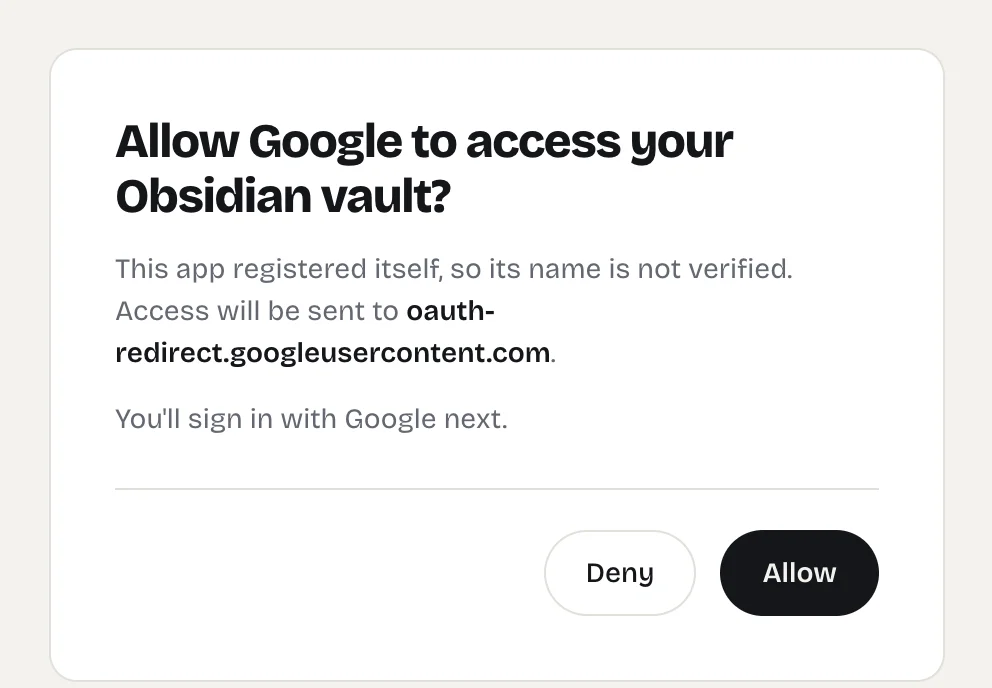
The Shard Connector page Gemini opens when you connect. -
Save the app
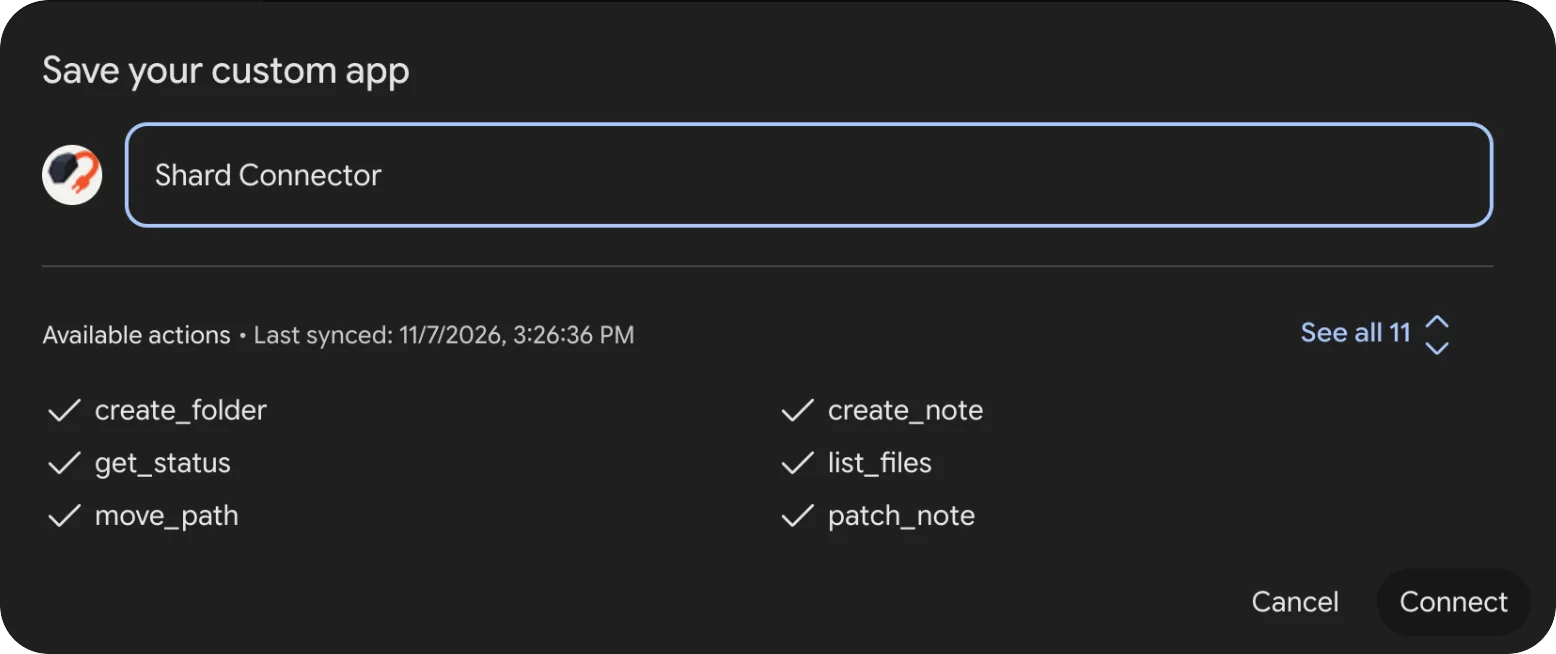
Back in Gemini, the app shows the 11 actions it found. Rename it to Obsidian so it’s easy to pick in a chat, then click Connect.
-
Ask Gemini about your notes
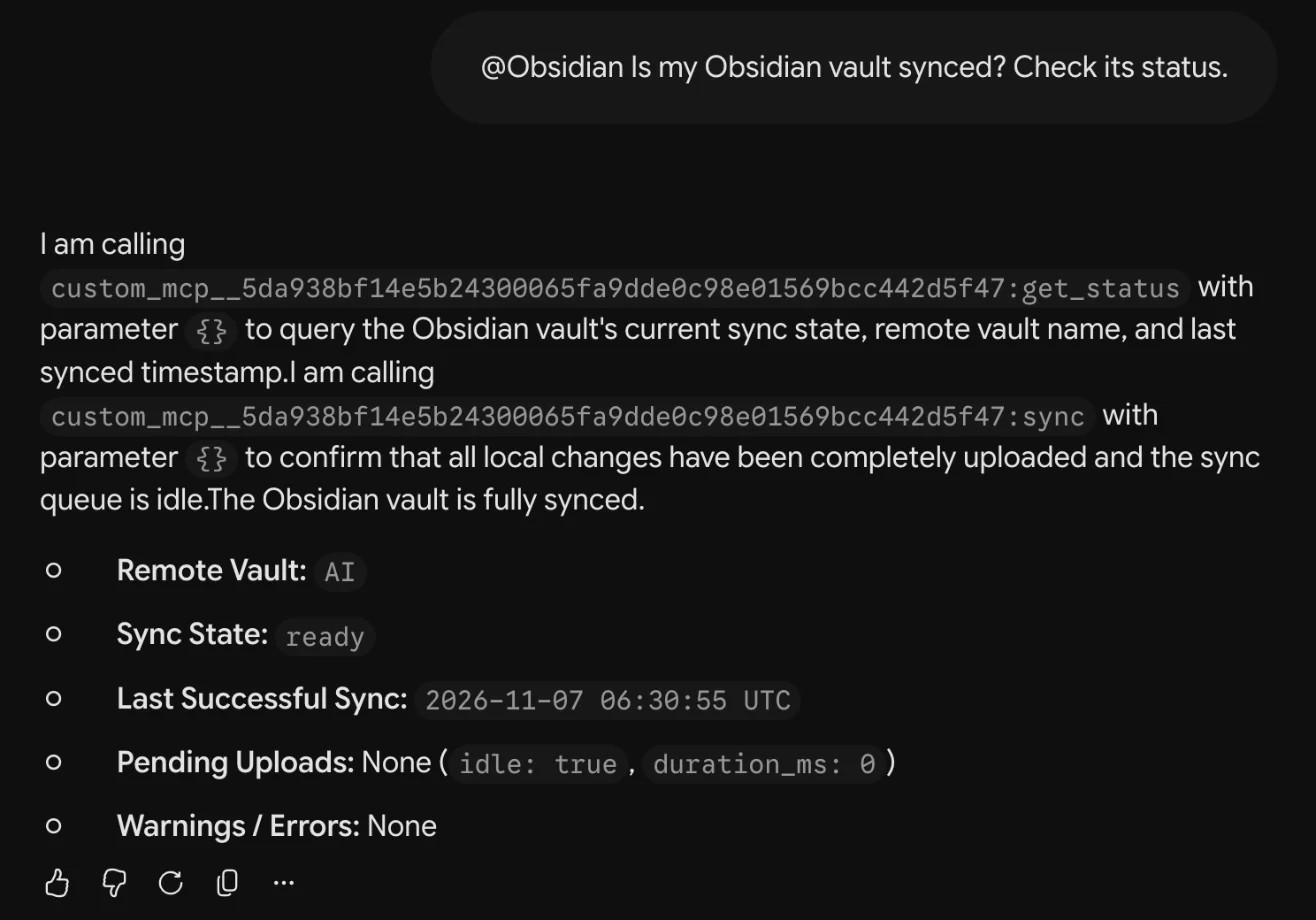
Start a chat, type @, pick Obsidian and ask your question. Gemini asks you to confirm before it runs a tool that changes your vault.
Things to ask
- “@Obsidian Add milk, eggs and coffee to my Groceries note.”
- “@Obsidian What do my notes say about the kitchen renovation?”
- “@Obsidian Create a note in Trips called Kyoto with a three-day plan, and link it from my Travel note.”
Troubleshooting
Gemini says “We had trouble connecting to this server.” Wait a few seconds: Gemini may still finish and show the Save dialog. If it doesn’t, click + Custom and add the URL again.
Gemini answers without using your notes. Type @ and pick Obsidian, or mention your Obsidian vault in the request.
Sign-in says there’s no vault for your account. Check on your dashboard that your vault is connected and your subscription is active. If you signed in with a different Google account, remove the app in Connected Apps, add it again and pick the account you use on the dashboard.
What Gemini can do in your vault
Gemini works in the one vault you connected. It can search, read, create and edit notes and folders, and move notes to a Trash/ folder, but it can’t delete anything for good, see .obsidian or open images and PDFs. See the full list.
If Gemini says the vault is syncing, your space is waking up and catching up with Obsidian Sync. Wait a few seconds and ask again.
Questions
Do I need a paid Gemini plan?
Google doesn’t list a plan for custom apps. Shard Connector is a separate subscription.
Can I use it in the Gemini mobile app?
Yes. You add the app on the web, and it then shows up in the Gemini app on your phone.