How to connect Obsidian to Codex and the ChatGPT desktop app
Codex can search, read and edit your Obsidian notes through Shard Connector. Shard Connector connects to your vault through Obsidian Sync in the cloud, so you don’t need a local server or PC running Obsidian. The Codex CLI, the IDE extension and the ChatGPT desktop app share ~/.codex/config.toml, so adding the server once covers all three on any ChatGPT plan, including Free and Plus.
Updated
Before you start
You need an Obsidian vault you sync with Obsidian Sync, and a Shard Connector space with that vault connected. Sign in with Google to set it up: it’s $2.99 a month after a 5-day free trial. For Codex:
- Any ChatGPT plan, including Free and Plus.
- The Codex CLI, the Codex extension for VS Code or Cursor, or the ChatGPT desktop app.
When your dashboard shows the space as ready, copy the server URL. It’s the same for everyone; the Google sign-in decides whose vault Codex reaches.
https://mcp.shardconnector.com/mcp
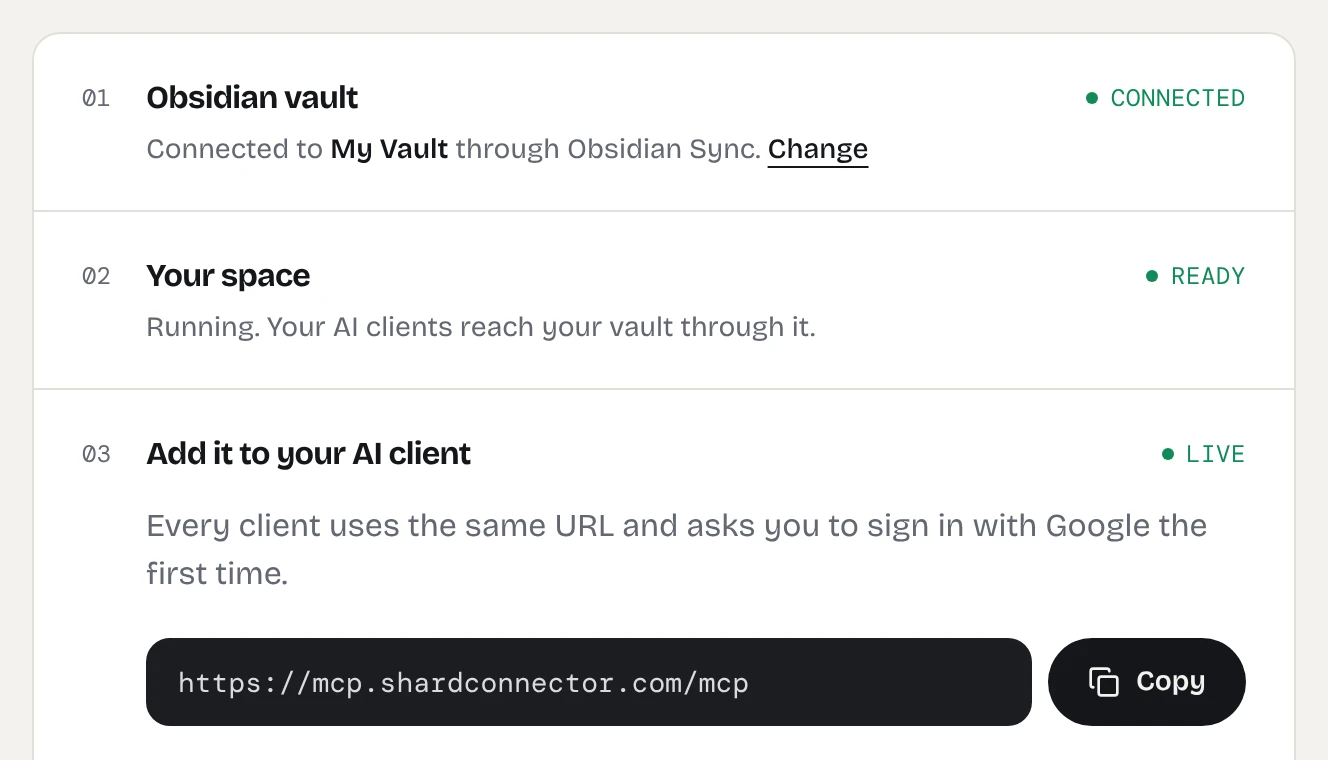
Add Obsidian to Codex
-
Add the server
In a terminal, run:
codex mcp add obsidian --url https://mcp.shardconnector.com/mcpThis writes the server to
~/.codex/config.tomland starts the sign-in. Put the entry in a project’s.codex/config.tomlto limit it to that project.In the ChatGPT desktop app, open Settings, MCP servers, Add server (or the gear menu in the IDE extension). Name it
obsidian, pick Streamable HTTP, pastehttps://mcp.shardconnector.com/mcp, save and click Restart. -
Sign in
Your browser opens a Shard Connector page asking you to allow Codex. Click Allow, then sign in with the Google account you use on this site.
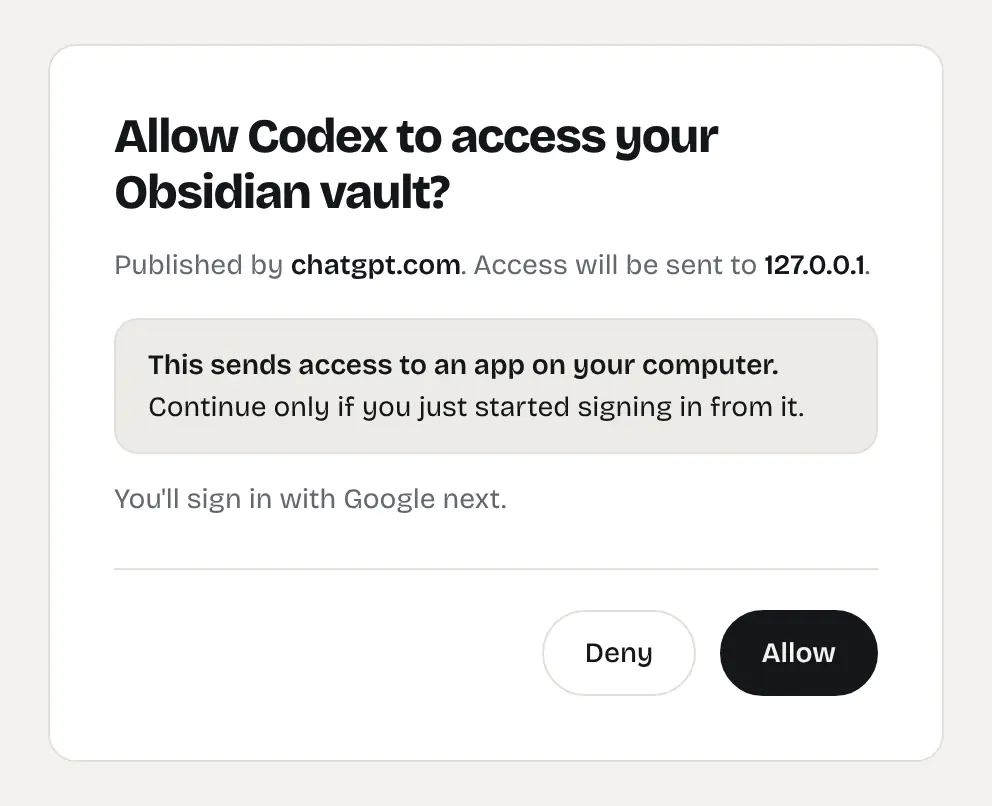
The Shard Connector page Codex opens when it starts the sign-in. If no browser opens, run
codex mcp login obsidian, or click Authenticate next toobsidianin the app or extension. -
Ask Codex about your notes
Start a Codex session, or a Codex or Work chat in the desktop app, and mention your vault, for example “Search my Obsidian vault for my notes on the billing redesign.”
Signing in over SSH
On a remote machine without a browser, run codex mcp login obsidian --no-browser and open the link it prints on your computer. After you sign in, the browser redirects to a 127.0.0.1 URL that won’t load; copy that full URL from the address bar and paste it into the terminal.
Things to ask
- “Read my Obsidian note on the API design and check this branch against it.”
- “Add what we changed today to my Changelog note in Obsidian.”
- “Search my vault for meeting notes that mention the payments team and list the open questions.”
Hosted or local
If the vault is already on the same machine, Codex can edit the Markdown files directly without an MCP server, and your notes stay local, which gives you maximum security. Shard Connector is for machines without the vault, such as a work laptop or remote dev box, syncing edits through Obsidian Sync without Obsidian open. Obsidian MCP server: hosted or local? compares the options.
Troubleshooting
Codex never asks you to sign in. Run codex mcp login obsidian. Check that the URL in config.toml is exactly https://mcp.shardconnector.com/mcp and that the entry uses url, not command.
The desktop app doesn’t use your notes. MCP servers work in Codex and Work chats. Start one of those and check that obsidian is enabled under Settings, MCP servers.
Sign-in says there’s no vault for your account. Check on your dashboard that your vault is connected and your subscription is active. If you signed in with a different Google account, run codex mcp logout obsidian and codex mcp login obsidian, and pick the account you use on the dashboard.
What Codex can do in your vault
Codex works in the one vault you connected. It can search, read, create and edit notes and folders, and move notes to a Trash/ folder, but it can’t delete anything for good, see .obsidian or open images and PDFs. See the full list.
If Codex says the vault is syncing, your space is waking up and catching up with Obsidian Sync. Wait a few seconds and ask again.
Questions
Does this work on ChatGPT Plus or Free?
Yes. Codex and the ChatGPT desktop app read MCP servers from your local config.toml on every plan. Custom MCP servers on chatgpt.com require Pro, Business, Enterprise or Edu; see the ChatGPT guide.
Does Codex on chatgpt.com see the server?
No. ChatGPT on the web doesn’t read your local Codex configuration. Use the CLI, the IDE extension or the desktop app.